AI and E-commerce: How AI Is Transforming Product Content Creation (Photos, Videos, Descriptions)
How is AI revolutionizing product content creation for e-commerce in 2026? Studio-free product photos, mass-generated descriptions, personalized ads at scale. The complete guide to the AI transformation.
SociaLover Team · Updated · 12 min read
AI has turned e-commerce product content from a cost center into a generation step: one clean reference photo becomes packshots, lifestyle scenes, color variants, segment-specific ads and short product videos in minutes. What still needs a camera is that first photo, and anything built on fine detail like faceted jewelry or a screen.
Can AI replace the product shoot?
Almost all of it, except the first photo. For years, a decent e-commerce photo shoot cost between $500 and $5,000 in the quotes we received, depending on the number of SKUs and the settings you wanted, and the day rate, the studio and the retouching added up fast. In 2026, AI collapses most of those line items into a single step: the extra setups, the cutout and the per-photo retouching all happen inside the generation. What it does not replace is one clean reference photo of the product, which stays the source of truth.
| Task | Traditional cost (quotes we received) | With AI in 2026 |
|---|---|---|
| Product packshot | Photographer at $500 to $1,500 a day, plus the studio | One generation per angle, from your reference photo. A few minutes |
| Lifestyle variation | A studio or venue rental at $200 to $800 on top of the day rate | One more generation per setting: no location to book, no second setup |
| Cutout / background removal | Post-production billed $50 to $150 per photo | Automated, no manual retouching step |
| Retouching and upscale | Post-production billed $50 to $150 per photo | Almost automatic, folded into the generation step |
| Short product video | A separate shoot, not covered by the photo budget | A generation of its own: up to 30 seconds in one pass with Seedance 2.5, 5 to 10 seconds on Kling 3.0 or Veo 3.1 |
| Turnaround | 1 to 3 weeks | 5 to 30 minutes |
That collapse is a change of unit rather than a discount: generation is billed in tokens taken from your plan, so a catalog is counted in passes instead of in invoice lines. One clean reference photo, then one generation per setting you want to show, and the two steps that used to be quoted separately, the cutout and the retouching, happen inside that same pass.
Which five use cases pay off first?
Product photos, color variants, segment-specific ads, descriptions at scale and short product videos, in that order, because each one removes a line from the production budget rather than adding a step to the workflow. The cards below name the gain; the sections that follow point to the detailed guide for each.
Product photos on white backgrounds and lifestyle
No shoot, no studio rentalUpload a photo of your product, and AI places it in any lifestyle setting. Modern kitchen, premium office, nature outdoors. Each setting in seconds.
Color and packaging variations
No physical sample neededAutomatically generate your product in 10 different colors without physically producing each version. Ideal for testing variations before production.
Ads personalized by segment
One prompt per segmentAutomatically create ad variations tailored to each audience: young urban woman, busy mom, athletic man. Same product, different context.
Automated SEO product descriptions
Whole catalog in one passLLMs (Claude, ChatGPT, Gemini) generate SEO-optimized product descriptions in bulk, so a large catalog can be covered in one pass instead of product by product.
Synthetic product and unboxing videos
No filming, no crewVideo models animate the product image, and an AI voice carries the script, to produce short product videos suited to Meta and TikTok ads, with no filming.
Product photos
One reference photo, cut out once, re-placed in as many generated settings as the campaign needs: that is the whole product-photo workflow, and it runs in SociaLover through Background Remover, then Product Studio or Studio Image for the scene. FLUX.2 is the packshot default, Nano Banana Pro and 2 render in 4K, Seedream 4.5 reads a lifestyle brief warmer. The step-by-step version, with the marketplace rules for Amazon, Shopify and Meta, is in our guide to professional product images with AI, without a studio.
Product videos from one photo
The packshot you just generated is the first frame of a product video: an image-to-video model animates it (a slow orbit, a hand entering the frame, a pour, an unboxing) and an AI voice carries the script. In September 2026 that means Kling 3.0 and Veo 3.1 for 5 to 10 second clips, Seedance 2.5 for up to 30 seconds in one pass, and Wan 2.7 as an alternative; Sora 2 is no longer an option, its API closes on September 24, 2026. In SociaLover, Real Life turns a still into that kind of clip, and our guide explains how to animate a still image into a video without the product melting between frames.
Descriptions and ad copy at scale
A language model writes the description, the bullet points and the ad copy for a whole catalog from a structured product sheet, in one pass, in the brand's tone, and it is the least visible of the five gains because nothing in the result looks generated when the brief is right. In SociaLover, Chat Me does this with your brand kit loaded, so the tone and the banned claims are read rather than retyped, and Nano Strategist (the Ads Strategist tool) turns a persona, a platform and a concept into the creative that goes with the copy. Which model writes the best copy for ads is a separate question, answered in our comparison of ChatGPT, Gemini and Claude for ad creation.
A full workflow for a 200-SKU catalog
Two hundred SKUs is where the manual version of all this breaks, and where the workflow becomes the product: one reference photo per SKU, one cutout, one scene prompt per collection, one description template, one video template, all run as a chain rather than one tool at a time. That chain is what Workflow Pro is for in SociaLover, and it is what keeps 200 SKUs on-brand: the brand kit is read at every node instead of being restated in every prompt. The end-to-end version, from brief to delivery, is in our guide to automating content creation with AI workflows.
What still needs a real photo?
Anything built on high-frequency detail. Matte, opaque, low-detail surfaces come out clean, while facets, engraved indices, an interface or refraction get reinvented rather than reproduced, and that line is fairly consistent from one catalog to the next. Two habits cover most of it: check every generation with a human eye, because a model can subtly alter a logo, a texture or an exact shape, and anchor the model on your own photo with reference-image conditioning, which FLUX.2, FLUX Kontext, Nano Banana Pro and 2, and Seedream 4.5 all handle, whenever the same product has to reappear identically across several contexts.
- • Cosmetics and skincare: opaque packaging, simple shapes, matte or lightly glossy surfaces
- • Textile laid flat rather than worn, where the fabric itself is the subject
- • Food and drink, where the appeal is texture and setting rather than exact geometry
- • Furniture and home objects dropped into a generated room: modern kitchen, premium office, outdoors
- • Faceted jewelry: cuts and reflections are reinvented at every generation. Shoot it once and use that photo as the reference image
- • Watch dials: hands, indices and micro-text are exactly the detail level models get wrong
- • Electronics with a screen: the interface is regenerated, not reproduced
- • Transparent glassware: refraction and what is seen through the glass rarely hold together
- • Clothing worn on a human body still sometimes lacks realism, flat lay is the safer route
What does the optimal workflow look like?
Five steps, and only the first one involves a camera: photograph the product once, generate the lifestyle variations from that reference, compose the ad visuals, produce the UGC videos, then launch small and scale the winners. Here it is step by step, then the photo-to-catalog chain in detail.
Photograph the product once
A single clean reference photo on a neutral background. It is your source of truth.
Generate your lifestyle variations with FLUX.2
10 different settings in 30 minutes. Background Remover, then reference-image conditioning to reposition the product.
Create your ad visuals
Combine product photos, backgrounds and text in Creative Designer. Generate 20 creatives.
Produce your UGC videos
Avatar Lab, a script and a voice-over from Voice & Dubbing: a product testimonial video in a few minutes.
Launch and measure
Test all your creatives with a minimal budget. Scale the winners.
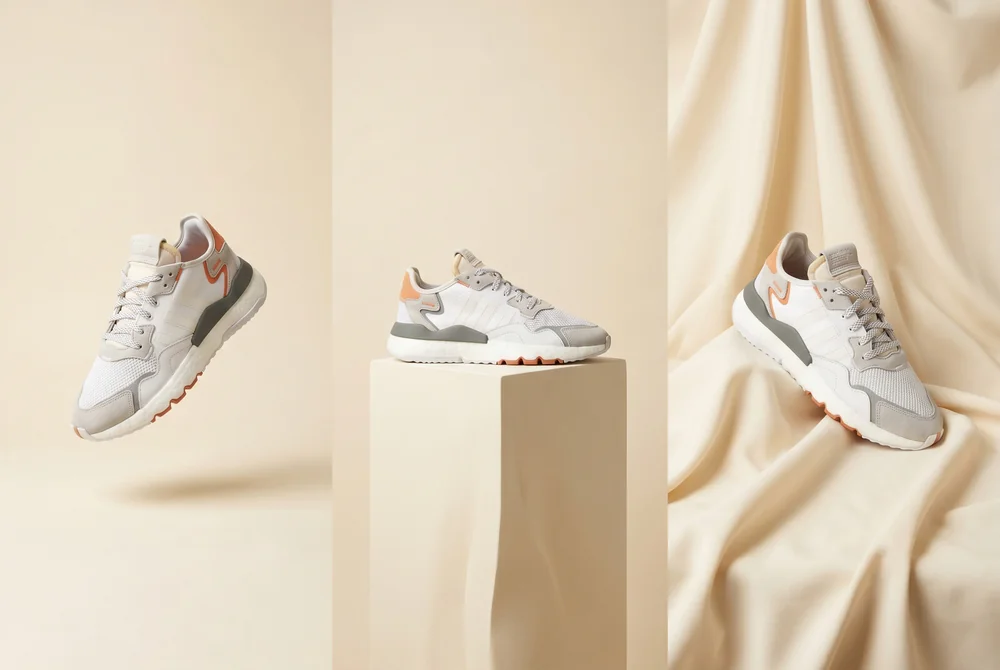
Steps 1 and 2 of the workflow above. The clean reference photo is your source of truth, and Product Studio re-places it in as many settings as the campaign needs.
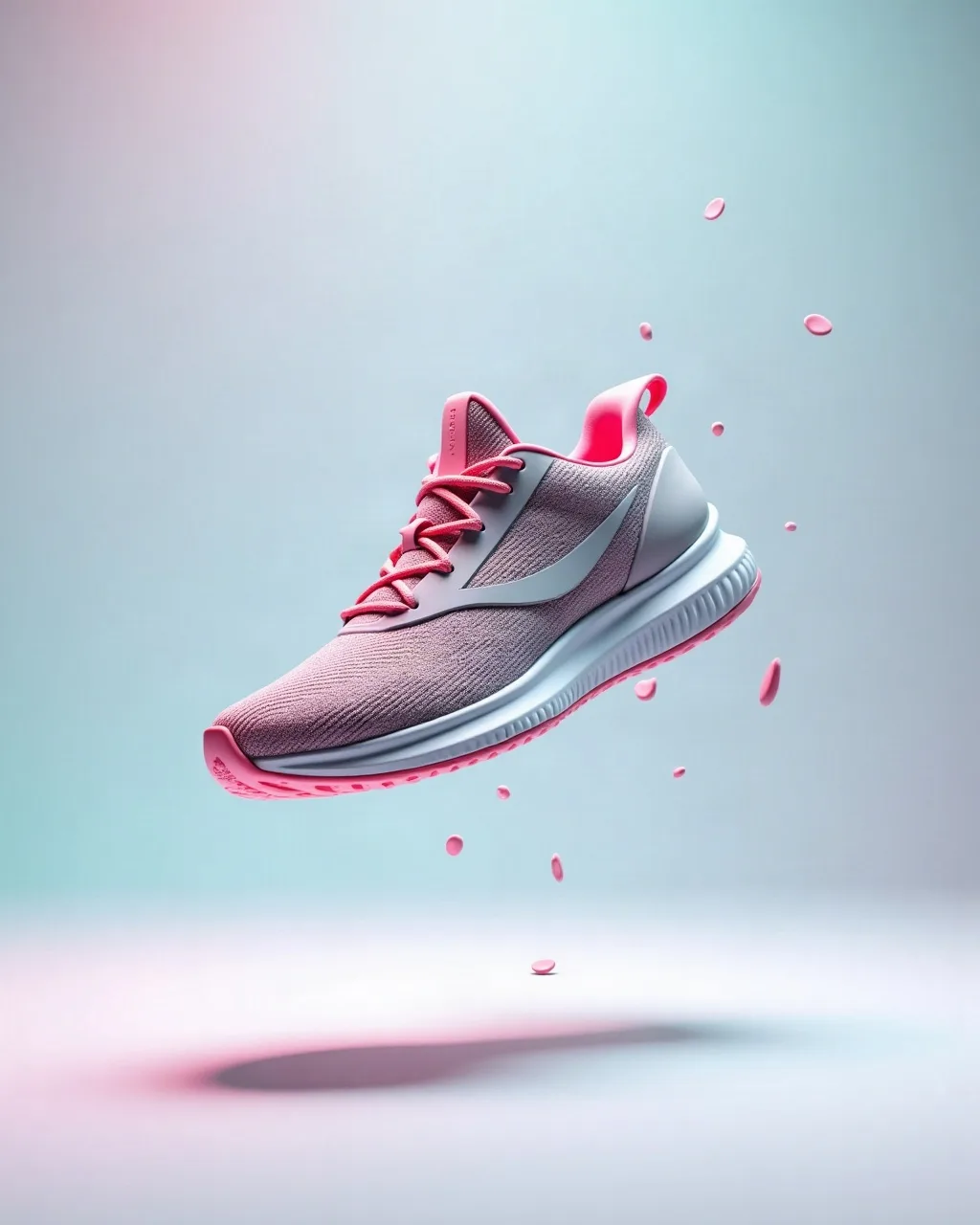
The end of the same chain: a finished sneaker creative, the same product category as the settings above, ready to carry the copy.
Frequently asked questions
- How long does it take to produce a set of product visuals?
- Minutes rather than weeks. A traditional e-commerce shoot runs 1 to 3 weeks from booking to delivered files, while a generated set turns around in 5 to 30 minutes, roughly half an hour for around ten lifestyle settings built from a single reference photo. The cutout and the retouching that used to be quoted photo by photo happen inside the generation step.
- Can AI replace an e-commerce photo shoot entirely?
- Not entirely. You still need one clean reference photo of the product on a neutral background: it is the source of truth every generated setting is built from. What AI removes is the second, third and tenth setup: the venue rental, the reshoots and the per-photo retouching, which is where most of the $500 to $5,000 in the quotes we received went.
- How do you keep the same product identical across several settings?
- With reference-image conditioning: you feed the model your own product photo as a visual anchor instead of describing the product in words. FLUX.2 (up to four references), FLUX Kontext, Nano Banana Pro and 2, and Seedream 4.5 all support it in SociaLover. Without that anchor, the model redraws the product slightly differently in every scene.
- Which products are still hard to generate?
- Anything built on fine detail: faceted jewelry, watch dials, electronics with a screen, transparent glassware. Clothing worn on a human body also still lacks realism. And any model can subtly alter a logo, a texture or an exact shape, so every generation needs a human check before it goes live.
- Can I produce product videos without filming?
- Yes. An image-to-video model animates the generated packshot and an AI voice carries the script, which produces the short product and unboxing videos that suit Meta and TikTok ads with no shoot involved. In September 2026 a single generation runs 5 to 10 seconds on Kling 3.0 or Veo 3.1 and up to 30 seconds on Seedance 2.5, so most product videos are one pass, or two stitched together.
- Can AI write product descriptions that convert?
- Yes, when it is given a structured product sheet and the brand's tone rather than a bare product name: a language model then writes the description, the bullet points and the ad copy for a whole catalog in one pass, and the result reads as written rather than generated. In SociaLover, Chat Me does this with your brand kit loaded, so the tone of voice and the banned claims are applied automatically, and Nano Strategist builds the matching creative from a persona, a platform and a concept. Test two or three angles per product, as you would with visuals.
- How do I connect my catalog?
- Through the Shopify integration in your dashboard: connect your store once and your products, with their images and prices, become available as assets in the creation tools, so a packshot or a description starts from the real product sheet instead of a manual upload. For other platforms, import the reference photos into the asset library and attach them as references at generation time.
- What does a full AI e-commerce workflow look like?
- Five steps: photograph the product once on a neutral background, generate around ten lifestyle settings in about 30 minutes, compose your ad visuals in Creative Designer, produce UGC videos with Avatar Lab and Voice & Dubbing, then test everything on a minimal budget and scale the winners. At catalog scale, Workflow Pro runs that chain end to end with the brand kit read at every step.
Conclusion
AI has democratized e-commerce content production. What was once reserved for big brands with large photo budgets is now accessible to everyone. The online sellers who adopt these workflows today are building a major competitive edge, and the rest will have to catch up fast.