Prompt Engineering for Ad Image Generation: 50 Ready-to-Use Prompts
50 optimized prompts to generate professional ad images with Flux, Midjourney and the other AI models. By industry, by format and by goal, with the prompt engineering techniques to maximize quality.
SociaLover Team · Updated · 20 min read
A good advertising prompt names the subject, the product placement, the light, the composition (including empty space for copy), the format and the mood, in that order. Below are 50 prompts sorted by industry and ad format, plus the model-specific syntax that makes FLUX.2, Midjourney and GPT Image obey.
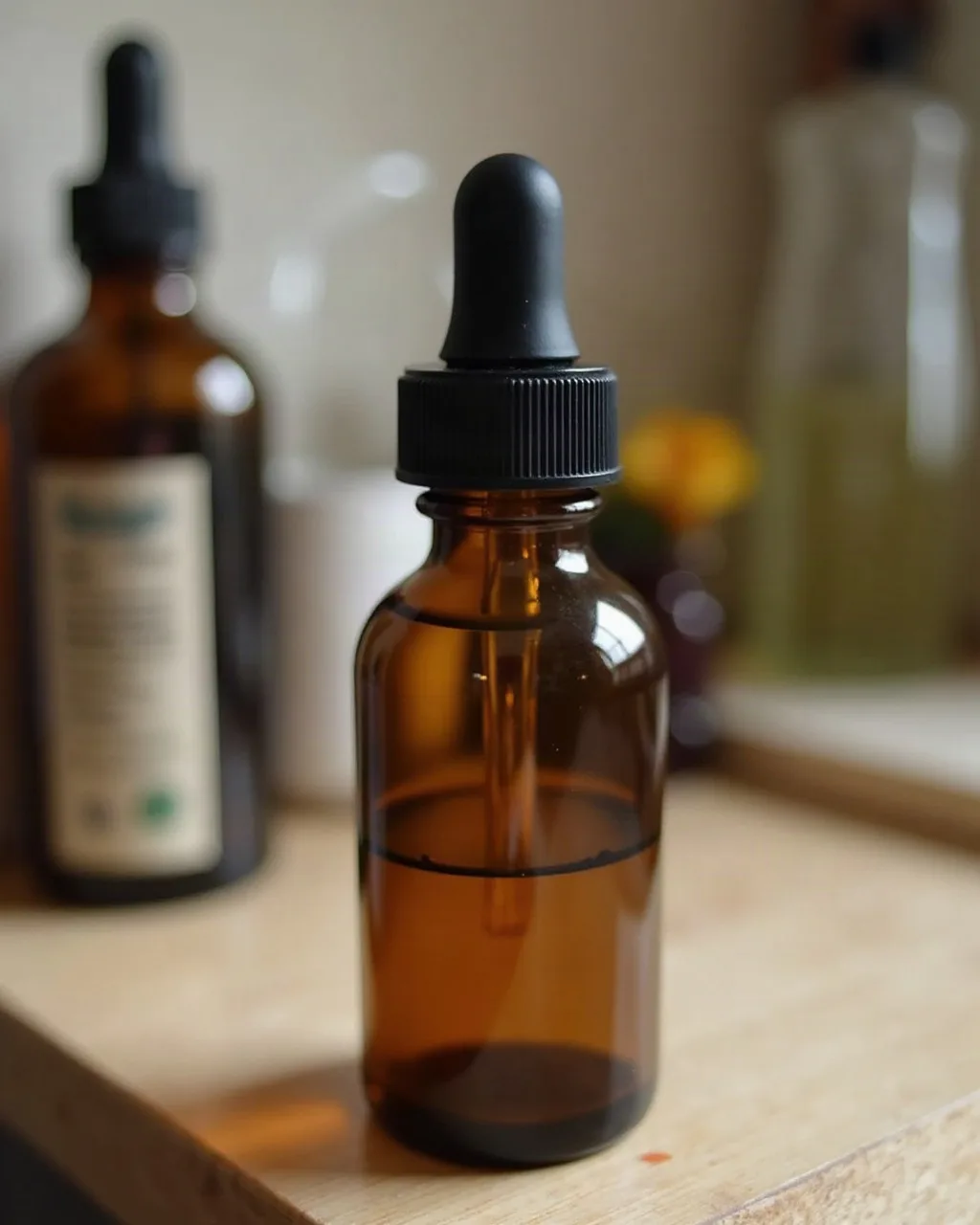
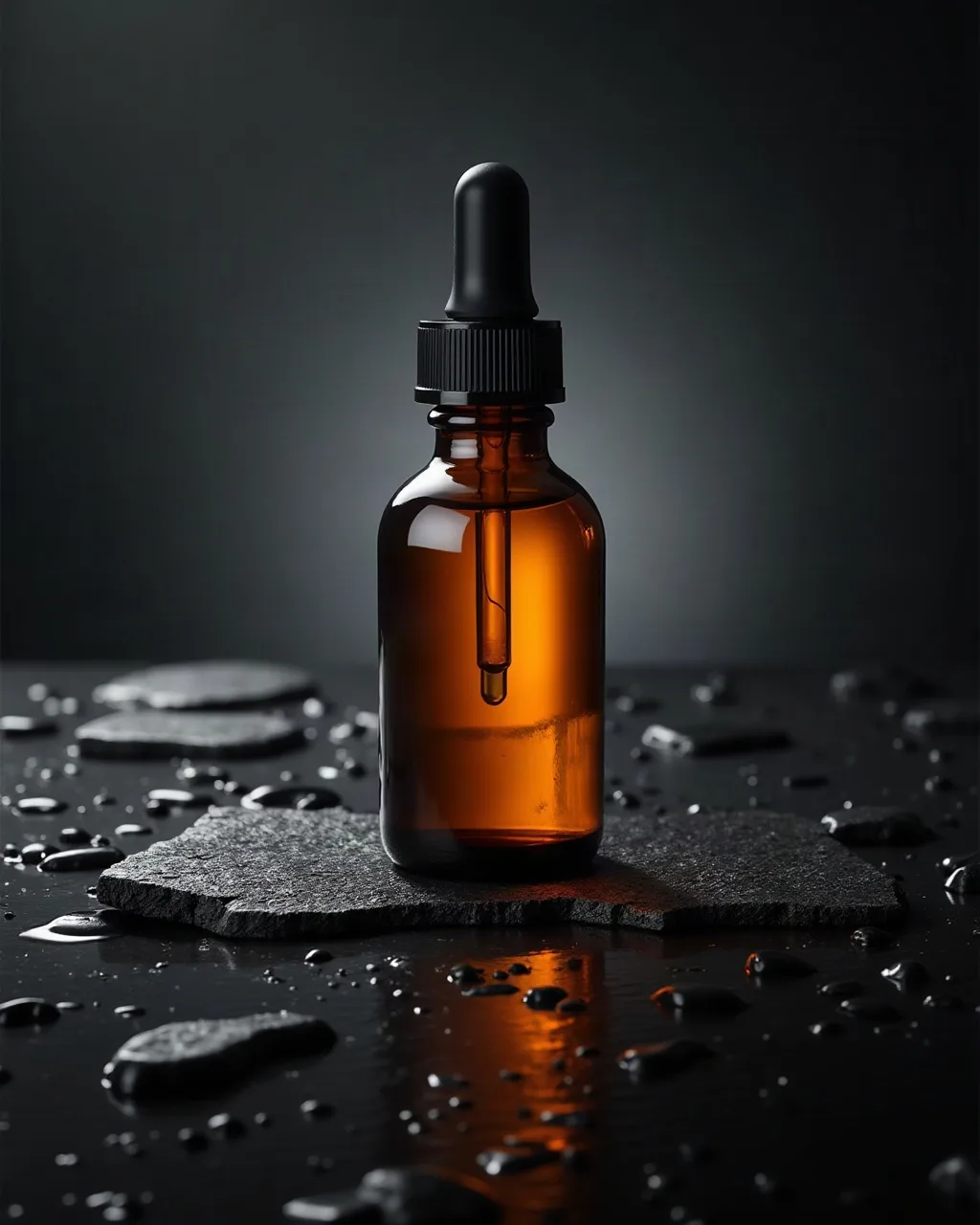
The same unbranded dropper bottle described to the model twice: a quick phone-style snapshot prompt on the left, a studio packshot prompt on the right. With three words, the model has to guess the surface, the light, the framing, the depth of field and the finish, so it defaults to generic. On the right, every one of those decisions is written down: "Commercial product photography, [PRODUCT] centered on a wet black stone slab, soft studio lighting from above-left, subtle shadow below, depth of field blur on background, 8K sharp product detail, luxury brand aesthetic, no text". Subject, surface, light direction, shadow, depth of field, level of detail, style reference and exclusion: nothing is left to the model.
How to use these prompts
- Replace [PRODUCT], [COLOR], [INGREDIENT], etc. with your own specifics
- The "Advanced" prompts need extra parameters depending on the model
- Always test 3 to 5 variations (different seed) before settling on a prompt
- Written for FLUX.2, Nano Banana Pro and 2 and GPT Image 2 (all in SociaLover), and for Midjourney V8.1 and Ideogram 3 (not in SociaLover)
Which model should you run these prompts on?
Any of them for a prompt without words in the frame, and GPT Image 2 or Nano Banana Pro (or Ideogram 3 outside SociaLover) the moment a slogan, a price or a CTA has to appear inside the image. The prompts below are model-agnostic, but the rendering is not, and which model to run these prompts on is a question our full image model comparison answers score by score.
| Model | What it is best at | Text inside the image | Use it for |
|---|---|---|---|
| FLUX.2 (1K or 2K), in SociaLover | Prompt fidelity and photographic texture | 7.8 / 10: good, below the typographic models | Product and e-commerce prompts with a precise brief |
| Ideogram 3, not in SociaLover | Typography built into the composition | 9.8 / 10, best in class | Any prompt with a slogan, a price or a CTA in the frame |
| Nano Banana Pro, in SociaLover | Quality tier of the Gemini family, 4K, editing from an instruction | 8.7 / 10, the best in SociaLover | Creatives with a headline, and edits of an existing render |
| Nano Banana 2, in SociaLover | Native 4K at about half the price of Pro, fast | 8.4 / 10, solid | Large formats and batches of variations |
| Midjourney V8.1, not in SociaLover | Artistic look and premium mood | 6.5 / 10: mediocre, avoid for slogans | Editorial fashion and brand-image prompts |
| GPT Image 2 (high), in SociaLover | Understanding long, narrative prompts | 8.5 / 10, solid | The "Advanced" prompts, with many nested details |
For drafting, FLUX.2 at 1K is the cheapest photorealistic render in the SociaLover catalog, at 4 tokens per image, light enough to burn through the 3 to 5 variations every prompt deserves before you commit to a final render in 2K or in 4K on Nano Banana 2. Generation is billed in tokens, included in your plan. One more thing before the prompts: "8K" and "hyper-detailed" are style cues, they tell the model to render fine detail, and the output size is set by the model's resolution setting, not by the prompt.
E-commerce & Product
Product on a premium neutral background
BeginnerCommercial product photography, [PRODUCT] centered on seamless white marble surface, soft studio lighting from above-left, subtle shadow below, depth of field blur on background, 8K sharp product detail, luxury brand aesthetic, no text
Lifestyle product mood
IntermediateLifestyle product photography, [PRODUCT] in use in a modern minimalist apartment, golden hour natural light, selective focus on product, bokeh background, authentic feeling, editorial style, shot on Sony A7R V
Product flat lay
BeginnerTop-down flat lay product photography, [PRODUCT] surrounded by complementary props (fresh flowers, linen fabric, seasonal elements), perfectly arranged, pastel color palette, soft diffused lighting, Kinfolk magazine aesthetic, 4K
Product with texture
IntermediateClose-up macro product photography, [PRODUCT] texture detail, extreme shallow depth of field, premium material quality visible, cinematic color grading, luxury commercial ad quality
Creative pack shot
AdvancedCreative pack shot photography, [PRODUCT] floating mid-air against gradient [COLOR] background, dynamic angle, studio flash freeze motion, sharp product edges, commercial packshot quality, clean and bold
Product in hand (scale)
BeginnerProduct photography, hand holding [PRODUCT] against a plain [COLOR] background, natural skin tones, soft window light from the left, clear sense of scale, e-commerce detail shot, sharp focus on the product, no text
Gift set / bundle
BeginnerCommercial product photography, [PRODUCT] presented as a gift set with premium packaging and a satin ribbon, warm side lighting, seasonal mood, shallow depth of field, retail campaign quality, no text
Colored studio set
IntermediateStudio still life, [PRODUCT] placed on a geometric [COLOR] pedestal, complementary color background, hard directional light casting a crisp graphic shadow, bold modern commercial aesthetic, editorial still life
Exploded product view
AdvancedTechnical product photography, [PRODUCT] shown as an exploded view with its components floating in a vertical stack, dark gradient background, precise rim lighting on every part, engineering brochure aesthetic, no text
Beauty & Cosmetics
Skincare editorial
IntermediateBeauty editorial photography, woman applying [PRODUCT] skincare, soft glowing skin, dewy texture visible, clean background, Vogue editorial style, soft natural lighting, skin texture detail, authentic and aspirational
Serum drop macro
AdvancedMacro cosmetic photography, single drop of [PRODUCT] serum falling in slow motion, iridescent reflections, deep black background, high-speed photography look, laboratory premium aesthetic, no text
Vibrant makeup
BeginnerBeauty close-up photography, perfect makeup application, bold [COLOR] lip color, flawless skin, high-fashion editorial lighting, MAC / Charlotte Tilbury campaign aesthetic, sharp focus on lips and eyes, luxury beauty brand
Natural ingredients
BeginnerNatural beauty ingredient photography, fresh [INGREDIENT] next to [PRODUCT], botanical arrangement, white marble background, morning light, organic brand aesthetic, clean beauty lifestyle
Beauty before/after
IntermediateBeauty transformation split image, left side: tired dull skin before treatment, right side: glowing radiant skin after using [PRODUCT], same person, same angle, dramatic improvement visible, clinical photography style
Texture swatch
BeginnerCosmetic texture photography, thick swatch of [PRODUCT] cream smeared across a glass surface, top-down view, soft even lighting revealing the texture, pastel [COLOR] background, clean beauty brand aesthetic, no text
Bathroom shelf lifestyle
IntermediateLifestyle beauty photography, [PRODUCT] on a bathroom shelf with tiles, a folded towel and a small plant, morning light through frosted glass, calm daily routine mood, minimal Scandinavian interior
Hair in motion
AdvancedBeauty hair photography, model with healthy shiny hair caught mid-motion, strands flowing in the air, studio backlight creating a bright rim on the hair, seamless [COLOR] background, hair care campaign aesthetic
Fitness & Health
Athlete performance
IntermediateSports advertising photography, athletic person performing [EXERCISE] at peak effort, dramatic side lighting, motion blur on movement, sweat particles frozen mid-air, black gym background, Nike / Adidas campaign energy, powerful and motivating
Supplement product
BeginnerSports supplement product photography, [PRODUCT] container surrounded by fresh protein sources and gym equipment, dynamic composition, high contrast dramatic lighting, masculine energetic aesthetic, fitness brand style
Body transformation
IntermediateFitness transformation photography, athletic person showcasing physique, good lighting on muscle definition, confident pose, clean studio background, motivational health brand aesthetic, realistic and aspirational
Aesthetic healthy food
BeginnerFood photography, [HEALTHY DISH] beautifully plated, overhead shot, vibrant natural colors, fresh ingredients visible, morning light from window, cookbook editorial style, Ottolenghi aesthetic
Yoga lifestyle
IntermediateLifestyle yoga photography, woman in [POSE] on premium yoga mat, sunrise outdoor setting with soft mist, serene peaceful expression, Lululemon campaign aesthetic, film grain, golden hour backlight
Home workout setting
BeginnerLifestyle fitness photography, person training with [EQUIPMENT] in a living room, morning light through a window, mat and water bottle in frame, realistic home setting, achievable everyday fitness mood
Drink / hydration shot
IntermediateBeverage product photography, [DRINK] poured into a glass with ice cubes, condensation on the surface, splash frozen by high-speed flash, deep [COLOR] background, refreshing sports drink aesthetic
Outdoor running
AdvancedSports lifestyle photography, runner on a coastal road at sunrise, long cast shadow, panning blur on the background while the subject stays sharp, cinematic warm color grading, endurance brand campaign
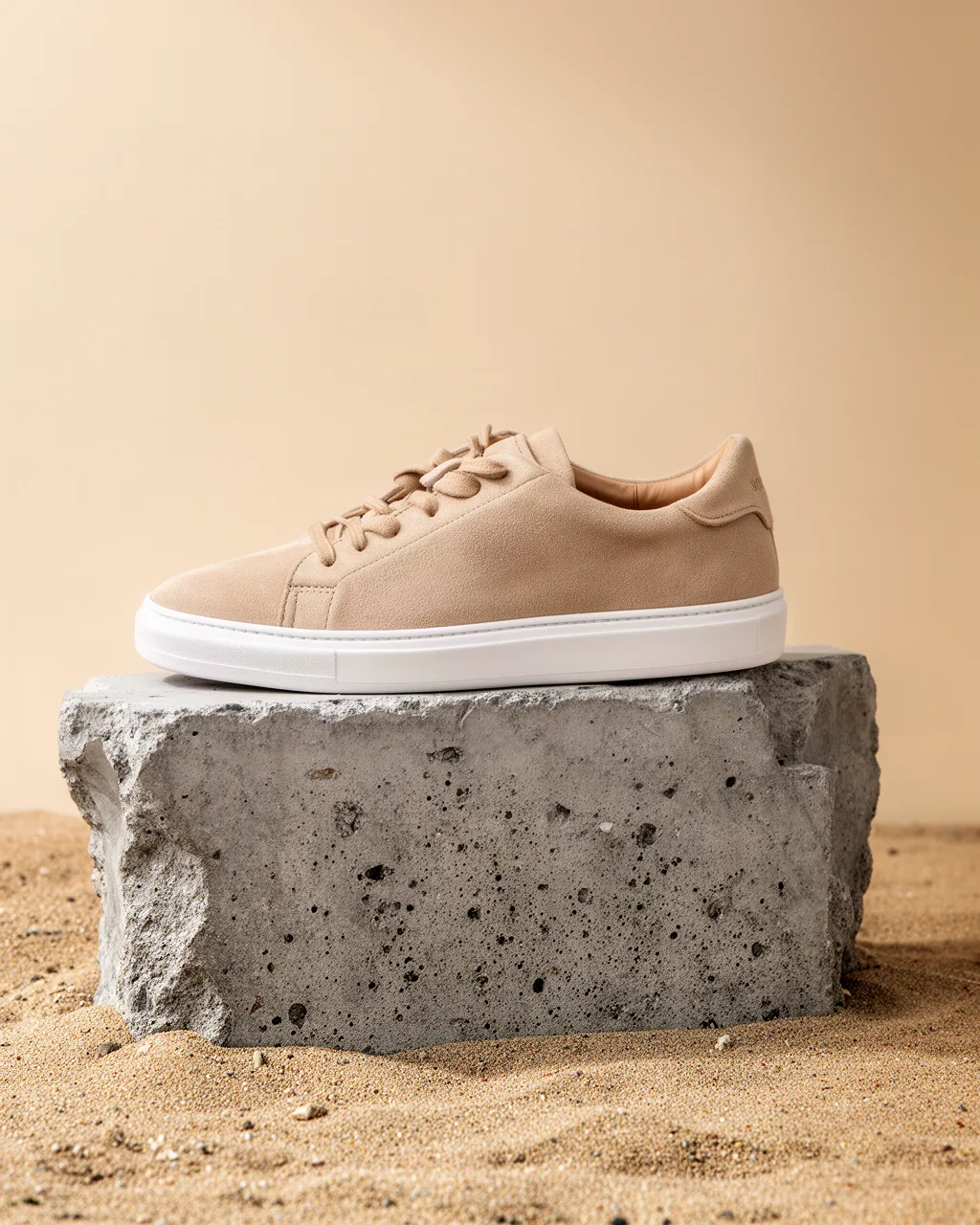
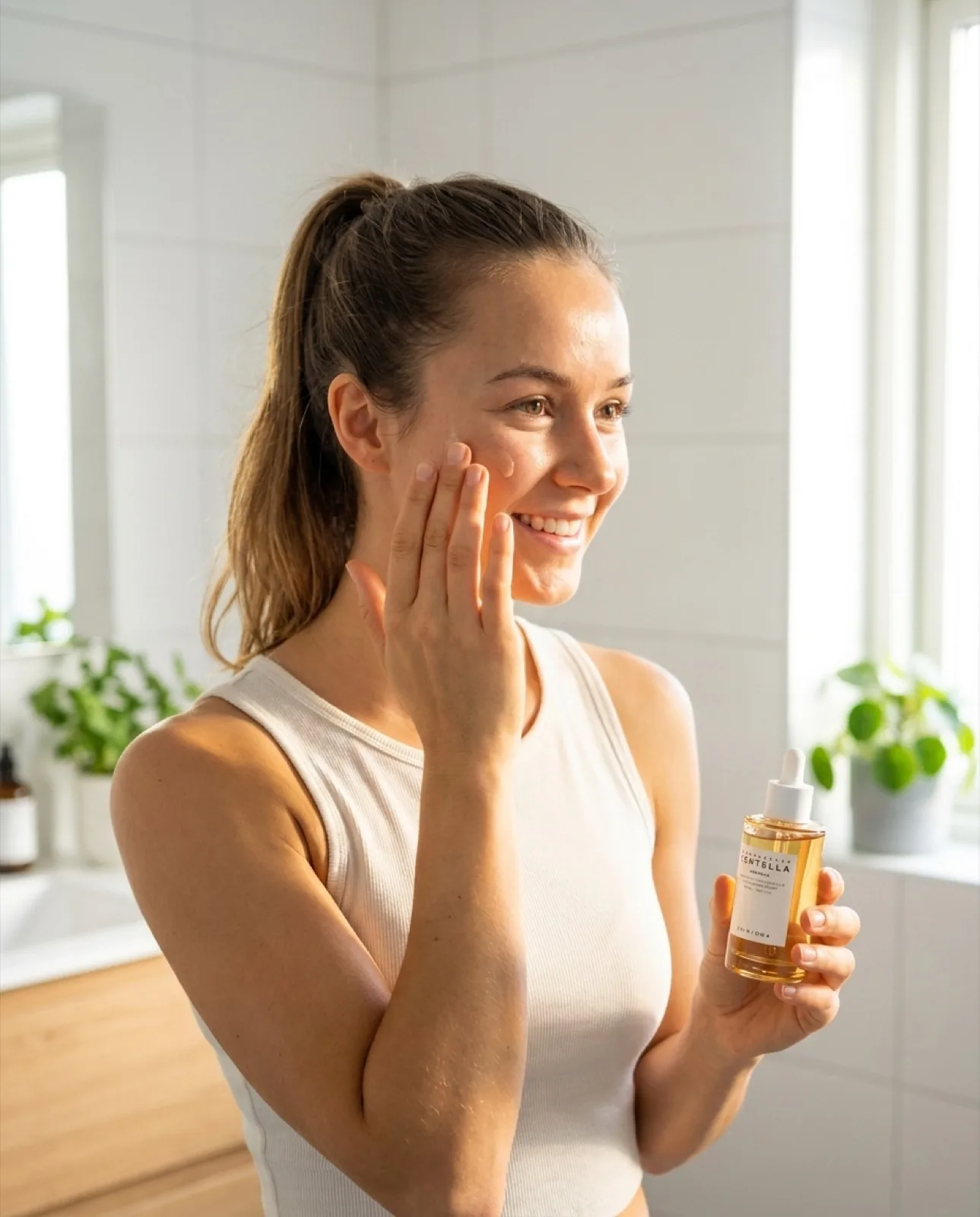
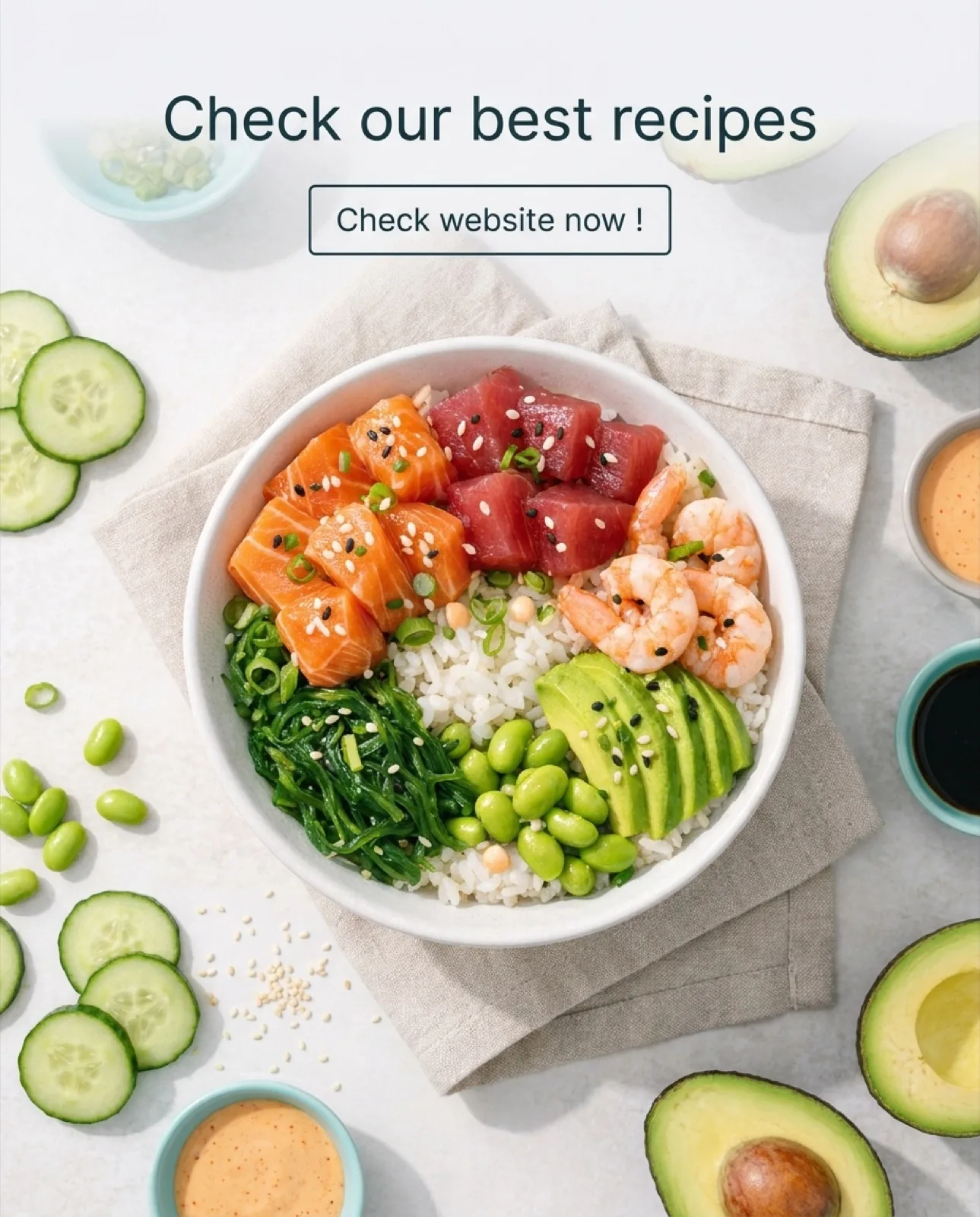
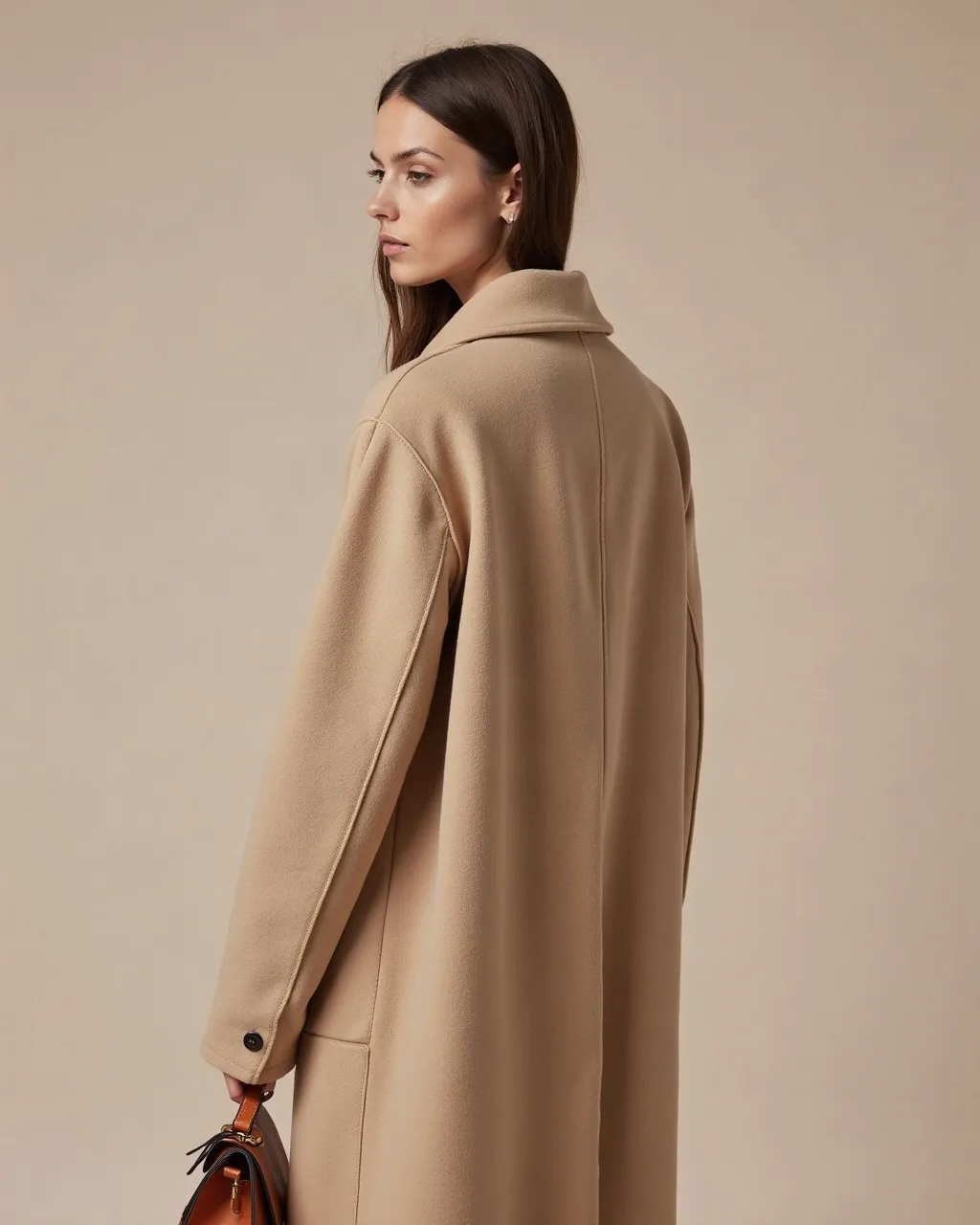
Four of the six categories in this article, each with a SociaLover creative of the kind it is written for. The skeleton of the prompt never changes: subject, setting, light, lens, finish, exclusions. Only the vocabulary of the category does.
Tech & SaaS
Dashboard UI hero
IntermediateTech product screenshot mockup, clean SaaS dashboard interface floating on premium dark background, subtle glow effect around device, data visualization visible, modern font, Apple product presentation style
Premium device
BeginnerPremium tech product photography, [DEVICE] on polished dark surface, dramatic side lighting creating specular highlights on edges, screen showing clean UI, Apple.com product page aesthetic, 8K render quality
Person + tech
BeginnerBusiness lifestyle photography, focused professional using [PRODUCT/SOFTWARE] on laptop, modern co-working space, warm ambient lighting, shallow depth of field, authentic productive atmosphere
Abstract data visual
AdvancedAbstract technology visualization, flowing data streams and neural network nodes in [BRAND COLOR] and white, dark background, cinematic sci-fi aesthetic, IBM / Nvidia brand ad quality, no text
UI on multiple devices
Intermediate[PRODUCT] interface displayed across laptop, tablet and smartphone simultaneously, clean white background, professional product marketing shot, Apple Keynote presentation style, consistent lighting across all devices
Mobile app in context
BeginnerLifestyle tech photography, hand holding a smartphone showing the [APP] interface, blurred [ENVIRONMENT] in the background, natural daylight, screen readable and perfectly sharp, authentic in-use product shot
Before / after workflow
IntermediateSplit composition image, left side: a cluttered desk covered with paperwork and sticky notes, right side: the same desk clean with a single laptop showing [PRODUCT], identical angle and lighting on both sides, clear visual contrast, no text
Team using the product
BeginnerCorporate lifestyle photography, small team gathered around a screen displaying the [PRODUCT] dashboard, glass meeting room, soft daylight, candid collaborative moment, modern B2B brand aesthetic
Fashion & Clothing
Editorial fashion
IntermediateHigh fashion editorial photography, model wearing [GARMENT] in [SETTING], Vogue magazine aesthetic, dramatic directional lighting, confident pose, premium brand atmosphere, film grain, editorial color grading
Street style
BeginnerUrban street style photography, person wearing [OUTFIT] in city environment, candid authentic pose, natural light, editorial fashion blog aesthetic, background bokeh, film photography look, i-D magazine style
Clothing flat lay
BeginnerFashion flat lay, [CLOTHING ITEMS] arranged artistically on clean surface, coordinated color palette, complementary accessories included, top-down shot, VSCO editorial style, minimalist aesthetic
Fabric texture detail
AdvancedTextile macro photography, extreme close-up of [FABRIC TEXTURE], beautiful material quality, soft directional light revealing texture depth, luxury fashion brand material photography, no model
Lookbook lifestyle
IntermediateLookbook fashion photography, person wearing [OUTFIT] in [LOCATION], natural movement, golden hour light, aspirational but achievable lifestyle, Cos / Arket brand aesthetic, minimal color palette
Ghost mannequin
BeginnerE-commerce apparel photography, [GARMENT] shot as an invisible ghost mannequin, pure white background, even studio lighting, natural fabric volume, catalog-ready product shot, no model, no text
Accessory still life
IntermediateFashion accessory photography, [ACCESSORY] on a textured stone surface, hard sunlight creating a graphic shadow, warm neutral palette, luxury still life, macro detail on the material
Campaign group shot
AdvancedFashion campaign photography, three models wearing [COLLECTION] against a seamless [COLOR] backdrop, coordinated poses, bold studio lighting, full body framing, contemporary brand campaign aesthetic
Specific Ad Formats
Facebook banner 1:1
BeginnerSocial media ad creative, [PRODUCT] hero image, bold contrasting background, clean composition with space left for text overlay, Meta Ads format, high visual impact, stops the scroll aesthetic
Story vertical 9:16
BeginnerVertical story format advertisement, [PRODUCT/PERSON] full-frame composition, dramatic vertical orientation, mobile-first design, high energy, TikTok / Instagram Story aesthetic, empty top and bottom zones for text
Simulated UGC creative
IntermediateAuthentic-looking user generated content style photo, person genuinely discovering [PRODUCT] at home, imperfect natural lighting, smartphone camera quality aesthetic, real person real moment feel, no professional lighting, genuine reaction
Product carousel
BeginnerE-commerce product photography for carousel ad, [PRODUCT] from [ANGLE] view, pure white background, consistent studio lighting, all imperfections removed, zoom-ready detail quality, Amazon / Shopify product listing quality
Creative video thumbnail
IntermediateYouTube / video thumbnail style image, expressive person reacting to [TOPIC], mouth open surprise expression, bold lighting, text-overlay space on right third, clickbait-effective visual, MrBeast thumbnail energy
Wide banner 16:9
BeginnerWide horizontal ad banner visual, [PRODUCT] positioned on the right third, large clean area on the left reserved for headline text, brand [COLOR] gradient background, high contrast, display advertising format
Split-screen comparison
IntermediateSplit-screen advertising visual, left half showing [PROBLEM SITUATION], right half showing [SOLUTION WITH PRODUCT], identical lighting and framing on both halves, clean vertical divide, direct-response ad aesthetic
Testimonial portrait
BeginnerAdvertising portrait, [PERSON PROFILE] looking straight into the camera with a calm confident expression, plain [COLOR] background, soft frontal light, empty space above the head for a quote overlay, customer testimonial ad aesthetic
Promotional / seasonal visual
IntermediatePromotional ad visual, [PRODUCT] surrounded by [SEASONAL ELEMENTS], bold festive [COLOR] background, dynamic diagonal composition, empty bottom-center zone reserved for the offer text, retail sale campaign energy
How does the syntax change from one model to another?
The structure stays, the dialect changes: Midjourney wants short comma-separated phrases plus parameters, FLUX.2 wants one long prose sentence with no weights and no negatives, GPT Image 2 wants narrative context, and Nano Banana wants editing instructions when you start from an existing image. Here is what to add or remove before you paste a prompt from this article.
| Model | What it responds to | Example adjustment |
|---|---|---|
| Midjourney V8.1 | Comma-separated phrases plus parameters at the end: --ar for the ratio, --style raw for a less stylized, more photographic look, --no to exclude an element | "... luxury brand aesthetic --ar 4:5 --style raw --no text" |
| FLUX.2 and FLUX 1.1 Pro | One long prose sentence read in order. No weighting syntax, no negative prompt, no CFG: emphasis comes from naming an element first and describing it in more detail | "A glass serum bottle, centered and filling the frame, on white marble ..." with the ratio and resolution set in the tool, not in the prompt |
| GPT Image 2 | Narrative context and relationships: who, where, why. It follows nested details better than keyword lists, and it renders text you spell out in quotes | "A morning scene in a small bathroom where a woman in her thirties reaches for a serum bottle labeled "GLOW" ..." |
| Nano Banana Pro and Nano Banana 2 | Plain instructions, especially for editing: describe the change and what must stay identical. Accepts reference images | "Keep the product exactly as in the reference image; replace the background with a marble surface lit from the left; leave the top third empty." |
| Ideogram 3 | Explicit typography: the exact words in quotes, the type style and the placement | "... headline "SUMMER SALE" in bold condensed sans-serif, centered in the upper third" |
The full list of parameters FLUX exposes (aspect_ratio, width and height in multiples of 32, seed, prompt_upsampling, raw, safety_tolerance) and the ones it does not is in our guide to FLUX parameters.
How do you write prompts that leave room for text?
Say where the empty space goes, in the same words you would give a photographer: "large clean area in the upper third", "central empty space for a headline", "product in the right third, left half plain". A model fills the whole frame unless you reserve part of it, and copy added later on a busy background is what makes most AI creatives look amateur. Three habits cover most placements.
- On 9:16 Stories and Reels, keep the top and the bottom of the frame plain: the platform overlays its own interface there, so put the product in the middle band and reserve the zones above and below it for your text.
- On 4:5 and 1:1 feed placements, reserve one clear zone rather than two: the upper third or the lower third, on a plain or gradient background, with the product on the opposite side.
- Ask for the plain zone explicitly and exclude text from the generation ("no text") when you will add the words afterwards; ask for the exact words in quotes when you want the model to render them, on Nano Banana Pro or GPT Image 2.
Feed 4:5 with headline zone
Social media ad creative, [PRODUCT] placed in the lower half against a seamless [COLOR] gradient, soft top light, upper third left completely plain for a headline, 4:5 vertical composition, no text
Story 9:16 with safe zones
Vertical 9:16 ad visual, [PRODUCT] centered in the middle band of the frame, plain [COLOR] background, top and bottom zones left empty for overlay text, mobile-first composition, no text
Text rendered by the model
Product hero shot of [PRODUCT] in the right third, left half plain [COLOR] background carrying the headline "[HEADLINE]" in bold sans-serif and the button "SHOP NOW" below it, soft studio light, Meta ad creative
Once the plain zone is in the image, paste a prompt into Creative Designer to add the copy on top with your brand fonts, or generate variations in Ads Variation to test three headlines on the same visual. The product-side of this workflow, from phone photo to export, is the 4-step product image workflow.
The 5 golden rules of advertising prompt engineering
Reference, technique, light, finish, exclusions: five decisions that turn a description into a brief. The rules below are the ones every prompt in this article applies, and the ones to check first when a render disappoints.
Be specific about your reference style
Name brands, photographers, or magazines as an aesthetic reference. "Nike campaign aesthetic" or "Vogue editorial style" steers the model far more effectively than "beautiful".
Always specify the format and photo technique
"Shot on Sony A7R V", "macro photography", "overhead flat lay". These photographic-technique cues anchor the model in a precise visual approach.
Describe the light first
Lighting is the single most impactful element of an image. Specify the direction (side, back, front), quality (soft, dramatic, diffused), and source (studio flash, golden hour, window light).
End with quality cues, and know what they are
Add "8K commercial quality", "hyper-detailed", "professional advertising photography" at the end of the prompt. They push the model toward a more finished render, but they are style cues: the output size is set by the model's resolution setting, not by the word 8K.
Use negations sparingly
"No text, no watermark, no people" is useful, but avoid overly long lists of negations that confuse the model. Stick to 2 or 3 elements to exclude at most. FLUX has no negative prompt at all, so phrase the scene without the element instead.
A sixth rule sits outside the prompt: keep every generation on-brand with a brand kit, so the HEX colors, the fonts and the tone are read by the tool instead of being retyped in every sentence.
Frequently asked questions
- What makes a good prompt for an advertising image?
- A good advertising prompt names five things the model would otherwise invent: the subject, the setting or surface, the light (direction, quality, source), the photographic technique or framing, and the finish. Adding a style reference (a brand, a magazine, a photographer) steers the result far more effectively than adjectives like "beautiful". Close with one or two exclusions such as "no text, no watermark" rather than a long list of negations.
- Which AI model should I use with these 50 prompts?
- All of them are written to be model-agnostic and work with FLUX.2, Nano Banana Pro and 2, GPT Image 2 (all in SociaLover) and with Midjourney V8.1 and Ideogram 3 (not in SociaLover). The model changes the rendering, not the structure of the prompt: FLUX.2 is the reference for precise product briefs, Nano Banana Pro or GPT Image 2 for a slogan or a price inside the frame, GPT Image 2 for long narrative prompts.
- Do these prompts work in Nano Banana Pro?
- Yes. Nano Banana Pro reads the same structured sentence, and it is the SociaLover model to choose when the creative has to carry legible text (8.7 out of 10 in our September 2026 re-check) or when you edit an existing render. Add your product photo as a reference image and describe what must stay identical. Use Nano Banana 2 instead when you need native 4K at about half the price, and the text is added afterwards.
- How do I get the same product in every image?
- With a reference image rather than with words. Attach your product photo in FLUX.2 (up to four references), Nano Banana Pro or 2, or Seedream 4.5, and describe only the scene around it; to change one thing on an existing render, use FLUX Kontext with an instruction such as "replace the background, keep the product identical". A text description alone lets the model redraw the packaging slightly differently every time.
- Do these prompts work for video models too?
- The structure does, the content does not. A video model such as Kling 3.0, Veo 3.1 or Seedance 2.5 still needs the subject, the setting, the light and a style reference, but it also needs a motion prompt: what moves, how fast, where the camera goes. Take the still prompt as the first frame and add one sentence of motion; our guide on animating a still image into a video covers that step.
- How do I keep my brand colors in a prompt?
- Write the HEX codes, not the color names: "#E94560 accent, #1A1A2E background" is unambiguous where "coral red" is not, and most models place a HEX value within a shade or two. In SociaLover, store the palette once in the Brand Kit and enable it in the tool: the colors are then read at generation time instead of being retyped in every prompt. The brand kit article details what to store and which tools read it.
- How many variations should I generate per prompt?
- Three to five, with a different seed each time, before you decide whether the prompt itself is the problem. Variability between two generations of the same prompt is still significant in 2026, so a single disappointing image says nothing about the prompt. Drafting on FLUX.2 at 1K, the lightest photorealistic tier of the SociaLover catalog at 4 tokens, keeps that habit painless.
- How do I stop the model from writing text on the image?
- End the prompt with an explicit exclusion ("no text") as several of the prompts in this article do. Keep negations to two or three elements at most: long lists of things to exclude confuse the model instead of constraining it. If your creative needs a real slogan inside the frame, generate it with Nano Banana Pro or GPT Image 2 in SociaLover, or with Ideogram 3 outside it, and spell the words in quotes.
- What is the difference between the Beginner, Intermediate and Advanced prompts?
- Beginner prompts work as-is on any model once you have filled in the placeholders. Intermediate prompts stack more constraints (a specific light setup, a style reference, a precise framing) so they need more iterations to land. Advanced prompts require extra parameters that differ from one model to another, which is why they are the ones to test on a cheap tier first.
Conclusion
These 50 prompts are a starting point, not an end in themselves. Prompt engineering is a skill you build through experimentation. Take these formulas, adapt them to your product, test variations, and iterate. In Studio Image, you can run the same prompt across several models (FLUX.2, Nano Banana Pro and 2, Seedream 4.5, GPT Image 2) and compare the results side by side without leaving your creative workflow.